


My Account

Cart Check Out
International Point of Sale International Point of Sale
[ Home ] [ Software ] [ Hardware ] [ Complete Systems ] [ About Us ] [ Download ] [ Free Quote ]
Products
>> Barcode Scanners
>> Card Swipers
>> Cash Drawers
>> Cash Registers
>> Check Readers
>> Complete POS
>> Keyboards
>> Label Printers
>> Labels
>> Pole Displays
>> Portable Terminals
>> Posiflex Jiva
>> Price Checkers
>> Printheads
>> Receipt Printers
>> RFID Printers
>> Ribbons
>> Signature Pads
>> Touchscreens
News
  Check out the full article library
 

5.31.2006


Restaurant Pro Express is used by employees
POS Solution for Restaurants

Read more articles.....


7.07.2005


Swiping a barcode with a laser scanner
Home Decor Store computerizes with CRE

Read more articles.....


12.23.2004


Liquor POS system
Liquor Store Point of Sale Solution

Read more articles.....


3.20.2005


C-Store POS system
The Best Convenience Store POS

Read more articles.....


02.13.2004


All makes of barcoder readers available
Barcode Scanners 101

Read more articles.....

  10.07.2004  
 
How much should a POS computer system cost?
How much should you spend on a POS system?
Read more articles.....
1
 
 
Library
 

Direct Thermal vs. Thermal Transfer

Print your own barcodes and labels

Barcode printers and Label printers come in two kinds of printing technologies Direct Thermal and Thermal Transfer. Both have their pros and cons and are suitable for different situations. Below is a rundown on the best and worst of both.
Return to main label printer page.

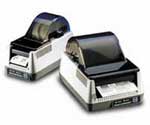
Barcode Blaster Advantage LX Direct Thermal
Direct Thermal printers work by using the heat of the print head to cause a reaction in the coating of the label paper. Basically the printer burns a barcode or a logo onto the label. This direct process does not need a ribbon which saves you money, but it can only print on special labels made for direct thermal printers.

The downside to this type of printing is that labels will not last a long time. After a period of time the barcode will start to fade and the label will start to blacken. The labels made with direct thermal printers should not be kept in direct sunlight or exposed to high temperatures or under constant heavy lights. The bottom line is direct thermal printing is an inexspensive way to print labels that are for temporary use. If you need a label to last longer than 6 months you should look into purchasing a thermal transfer printer.
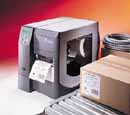
Thermal Transfer
Zebra Z4M Plus Thermal transfer printing produces crisp images onto labels. Heat is still used in this process except the heat does not come in contact with the label. Instead the hot print head causes the resin of a ribbon to form a high quality image on a label. The downside is you have to spend money on ribbons, the upside is you get higher quality print images and more durability. You can also print on many more kinds of paper.

If you have any more questions about the difference between thermal transfer and direct thermal printing please call us at (866)468-5767.


Return to main label printer page.

Return to the POS library.

Zebra Cognitive TSC


Contact Us for the Best Deals Anywhere: 1-866-468-5767


Home | Articles | POS Software | POS Hardware | Complete Systems | About Us | Download

POS Software | Receipt Printer | Barcode Scanner | Pole Display | Inventory Management
Credit Card Swiper | Cash Drawer | Label Printing | Portable Terminal
Site Map 2 3 full
sales@internationalpointofsale.com


© 2006 International Point of Sale 1-866-468-5767 or 201-928-0222