


ID Scanners

International Point of Sale recommends the following two ID Scanners for use with Cash Register Express and Restaurant Pro Express software to verify age when purchasing alcohol and tobacco in a convenience store or liquor store and to scan ID's at the entrance to bars and clubs. The options are presentation (Honeywell Genesis) or handheld (Honeywell Focus). Other ideal uses are for schools and lunchrooms and government buildings.
MS1690Focus & MS7580Genesis
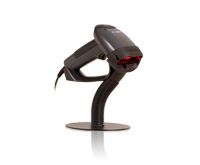
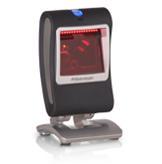
Configuring and Using Metrologic ID Scanners
 Cash Register Express or Restaurant Pro Express is compatible with a special version of the Metrologic Focus and Genesis scanners which are able to read information off of Drivers Licenses for age verification purposes.
This document will go through how to configure the scanner, set up CRE/RPE to read the scanner properly, and finally how to use the scanner with CRE/RPE.
Programming the Scanner
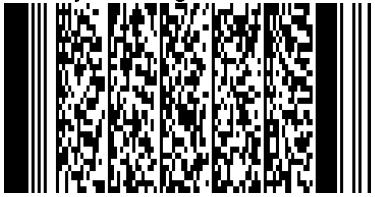
In order to program the scanners to work correctly with CRE/RPE we have included special programming barcodes below. Simply scan the appropriate barcode and the scanner with be configured correctly to work with our software.
Scan the below barcode to auto-program the scanner.
Click the Following Images to Enlarge
Configuring CRE/RPE
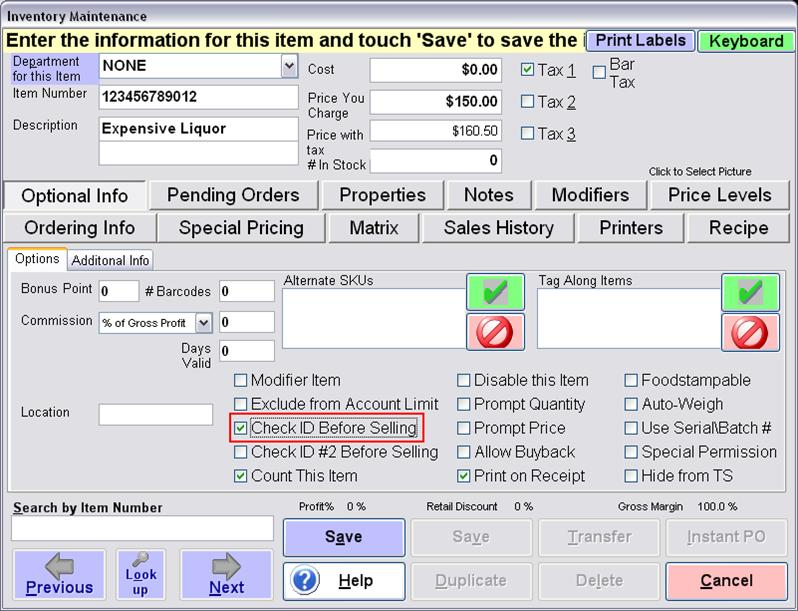
First we need to enable an Inventory Item to check
for an ID when added to the invoice.
Go to Manager/Options > Administrative > Inventory Maintenance.
Find an item and select "Check ID Before Selling ."
Next we have to make sure that CRE/RPE is set up to prompt for a birthday when selling an item, and set what the minimum age allowed for the sale of the item is.
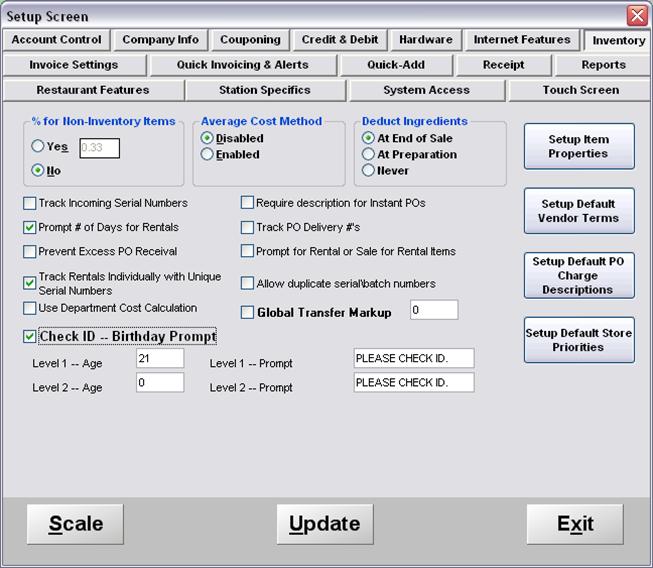
Go to Manager/Options > Setup > Setup Screen.
Click the "Inventory" tab then check the "Check ID - Birthday Prompt."
Finally, set the age required to purchase restricted items and hit "Update "
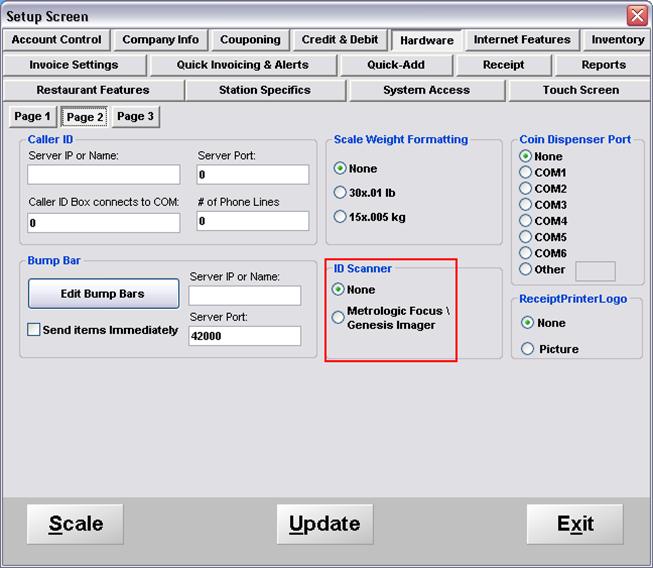
Finally we need to enable CRE/RPE to recognize the specific ID Scanners. Go to Manager/Options > Setup > Setup Screen. Click the "Hardware" tab, then the "Page 2" sub tab. Under the "ID Scanner" section select "Metrologic Focus / Genesis Imager."
Click "Update" to commit changes.
CRE/RPE is now configured correctly to use your ID Scanner.
Using the ID Scanner with CRE/RPE
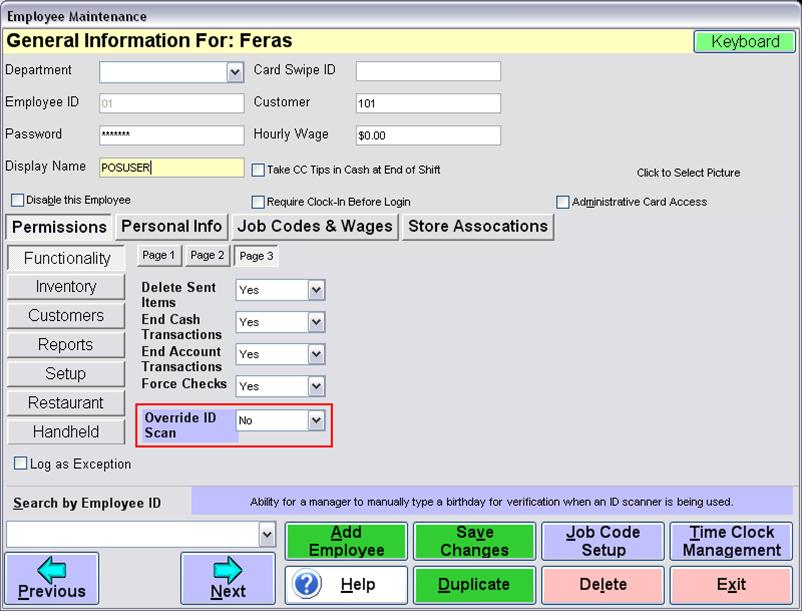
There is a new employee permission that governs whether an employee has the ability to override the scanner or not. This means that they can verify an age without having to use the scanner.
Go to Manager/Options > Administrative > Employee Maintenance.
Click on "Functionality" then "Page 3."
You will now see the permission that governs scanner usage.
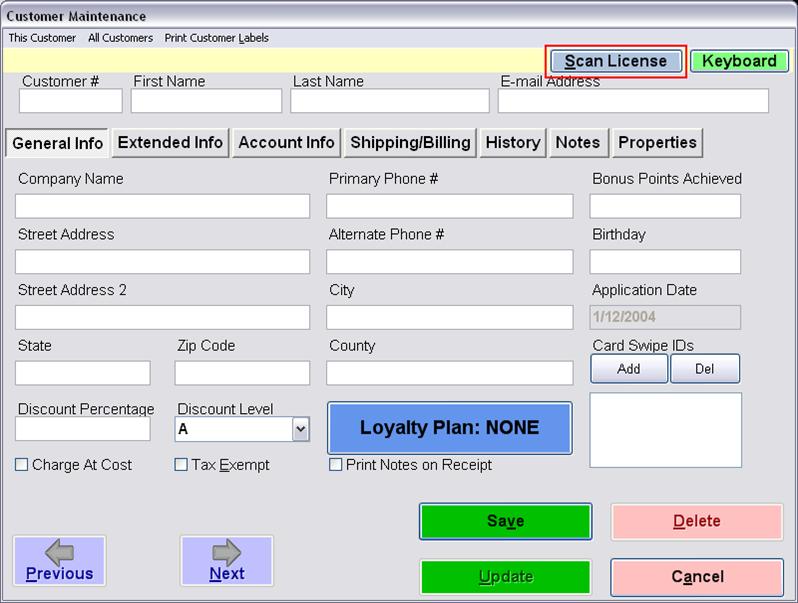
In customer maintenance you can now create a customer and input all of their address and contact information by simply scanning the license. You can input this information by hitting the "Scan License" button in Customer Maintenance.
Alternately you can simply scan the license while in the Customer # section.
Go to Manager/Options > Administrative > Employee Maintenance.
Click "Add." Finally, click "Scan License ."
When you click "Scan License " a popup screen will appear
prompting you to scan the license.
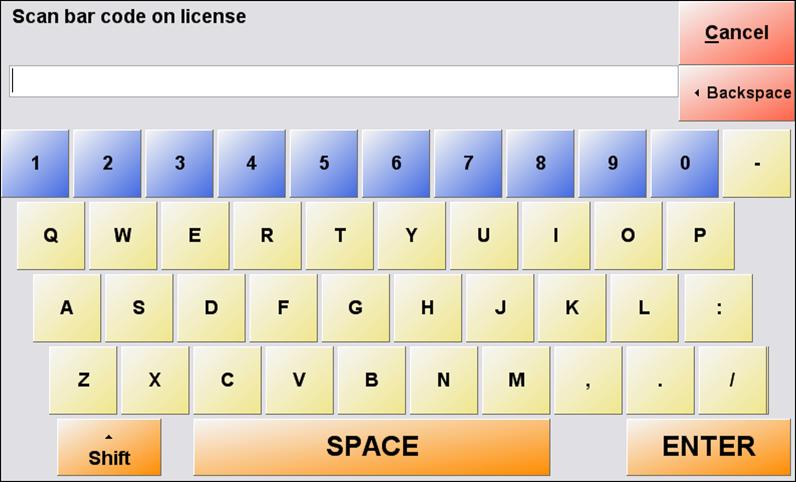
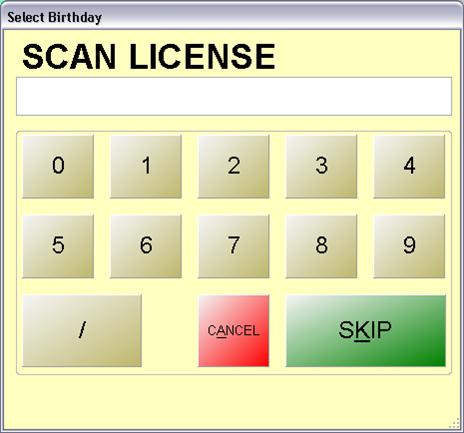
Additionally, you will be prompted to "Scan License" when selling an inventory item that had previously been marked to check for age. Simply ring up the item on the invoice screen and scan the license when you see the prompt.
When the license is scanned and accepted you will see a "License Accepted" dialog which will have a short countdown timer that will close this window when completed.

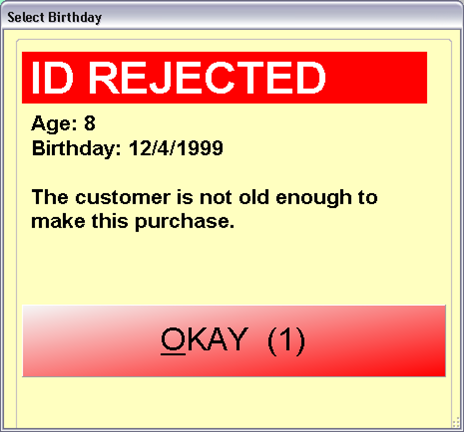
If the ID was rejected because the user is too young,
you will see a "ID Rejected" dialog
which will also disappear after a short countdown.
Congratulations! You have now successfully set up and used the
ID Scanning features of the Metrologic Focus or Genesis imagers!
New Stand-Alone Age Verifier - Click here!
Contact Us for the Best Deals Anywhere: 1-866-468-5767
